Bring the complete picture together
Work with several Xero organisations and supported CSV or Excel files while keeping each source clear.

XERO EXCEL ADD-IN FOR REUSABLE FINANCE WORK
KX Lite is an Excel-native Xero add-in for business owners, finance teams, accountants and bookkeepers. Build management reports, multi-company analysis and working papers without repeatedly exporting CSV files, cleaning them and rebuilding the same work.
Keep using Excel. KX Lite brings in the Xero data you are allowed to use, keeps supported relationships between records and saves the report setup for the next time the information changes. You do not need to write database joins.
Free beta. Test KX Lite with a real finance task and help shape the product.

DATA ACCESS AND FINANCE WORK ARE DIFFERENT JOBS
Microsoft 365 can make current Xero information easier to reach. KX Lite connects independently and is built for reports that must be checked, saved and refreshed.
Work with several Xero organisations and supported CSV or Excel files while keeping each source clear.
Use existing Xero report codes, keep approved matches and show every gap that still needs review.
Align account structures and prepare possible intercompany matches and eliminations for human review.
Keep the selected companies, dates, columns, formulas and supporting documents together.
THE RECURRING FINANCE PROBLEM
Every reporting cycle should not begin with another pile of exports. KX Lite keeps the selected source, company context and intended Excel result together.
WHAT CAN I USE IT FOR?
KX Lite is designed for recurring work where the Excel result matters as much as the Xero information behind it.
Build your own Excel management reports without reconstructing the underlying data every cycle.
Bring selected Xero organisations into one result while retaining company identity in every row.
Review different Charts of Accounts against a common reporting structure, with uncertain matches kept visible.
Keep the query definition, source context, supporting records and completed outcome connected for review.

ANOTHER REASON TO USE KX LITE
KX Lite gives finance professionals a practical Excel workspace for checking the information behind reported results. It makes unusual items, source companies and recurring preparation work easier to see and explain.
Examine the Xero data you are allowed to use and keep the companies, dates and choices behind the Excel result.
Review account matches, possible intercompany transactions and supporting documents instead of hiding uncertain items in a finished report.
Save supported queries and refresh the work without rebuilding the same export and preparation process each time.
SEE KX LITE DO THE WORK
Follow the real workflow from defining an Excel result to reviewing its source, expected processing and evidence. These are genuine KX Lite screens.
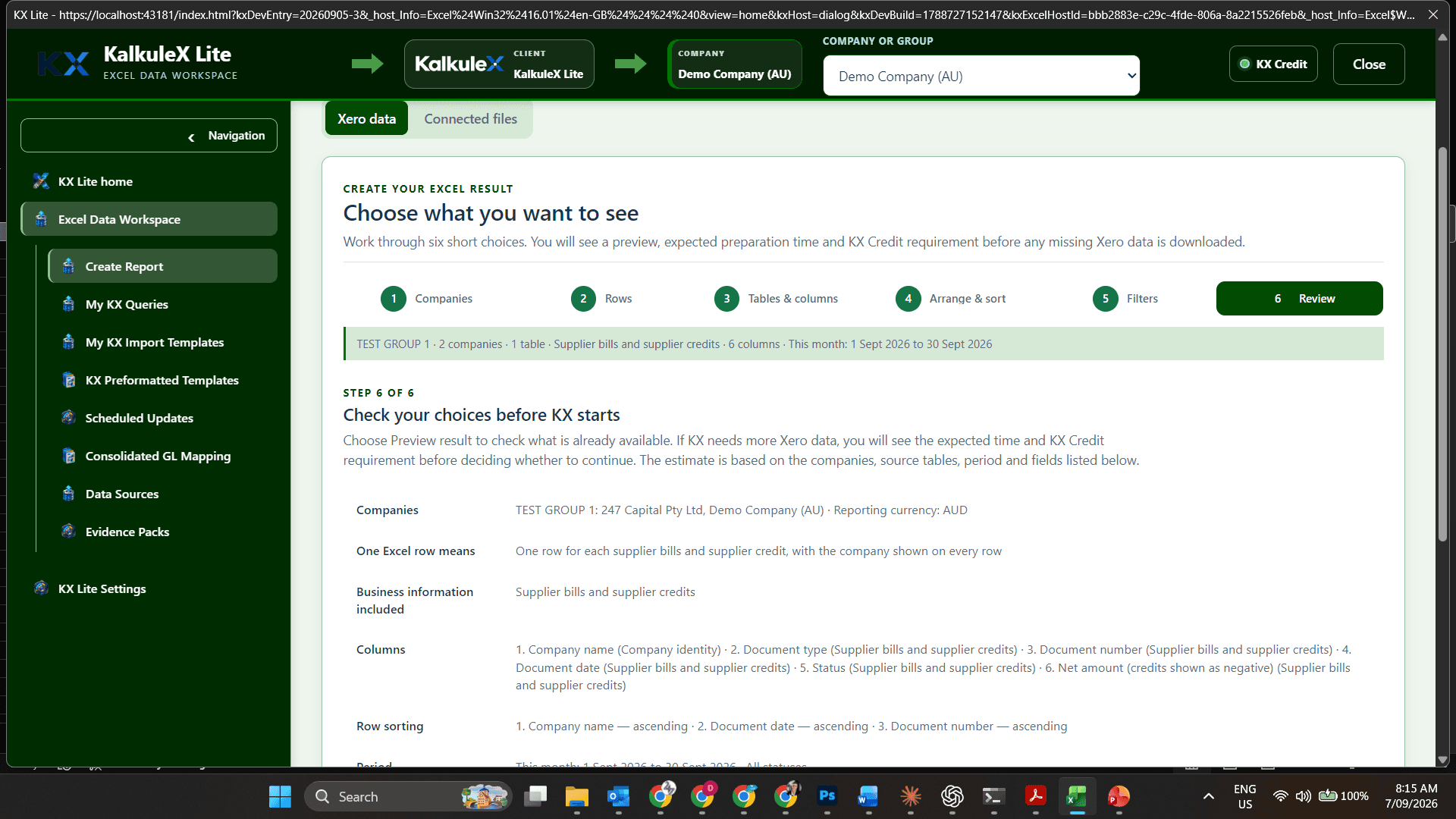
Review the companies, dates, columns, preparation time and KX Credit price before starting.
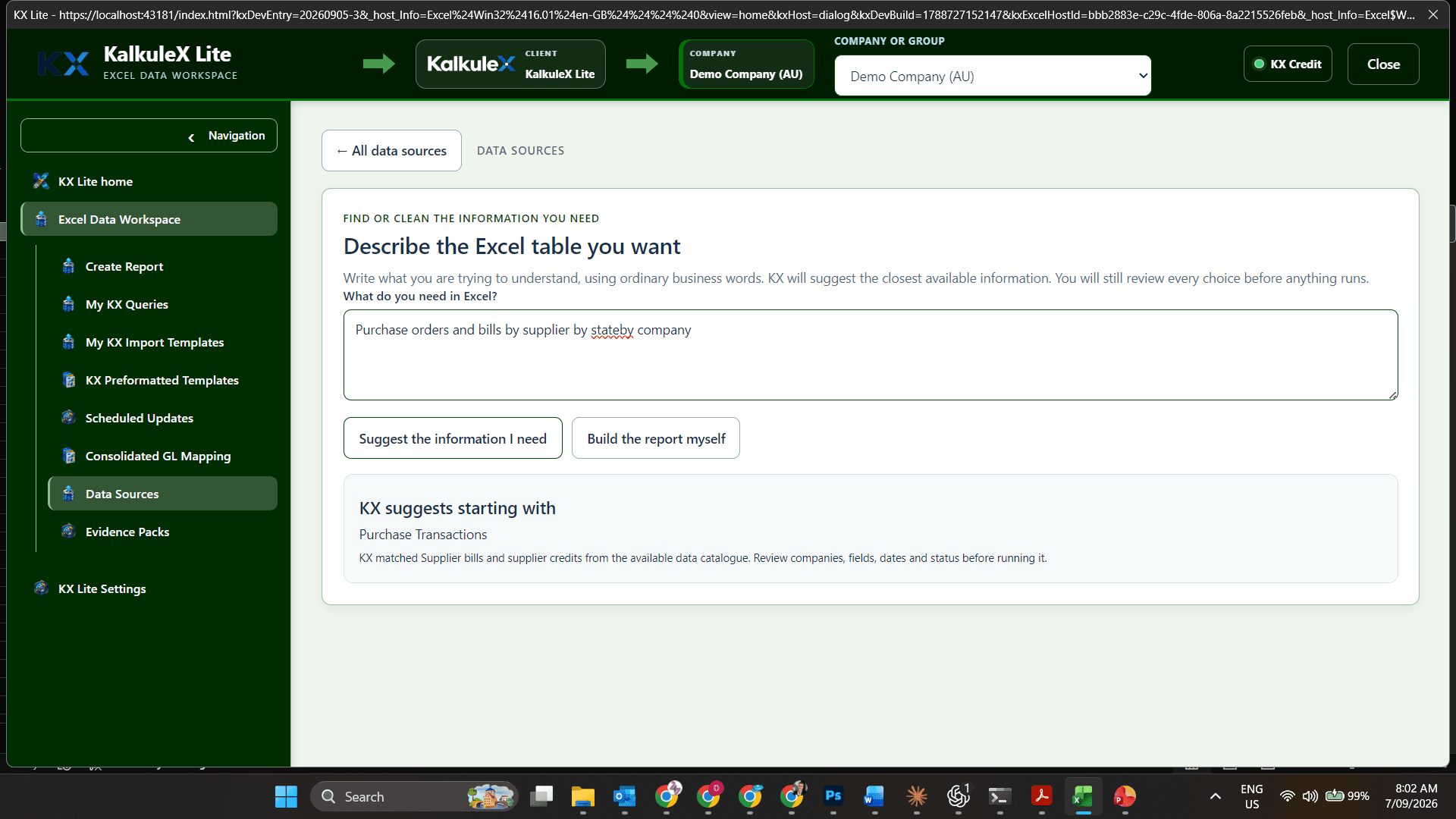
Describe the result you need. KX suggests the related Xero records and fields for you to review—without database queries.
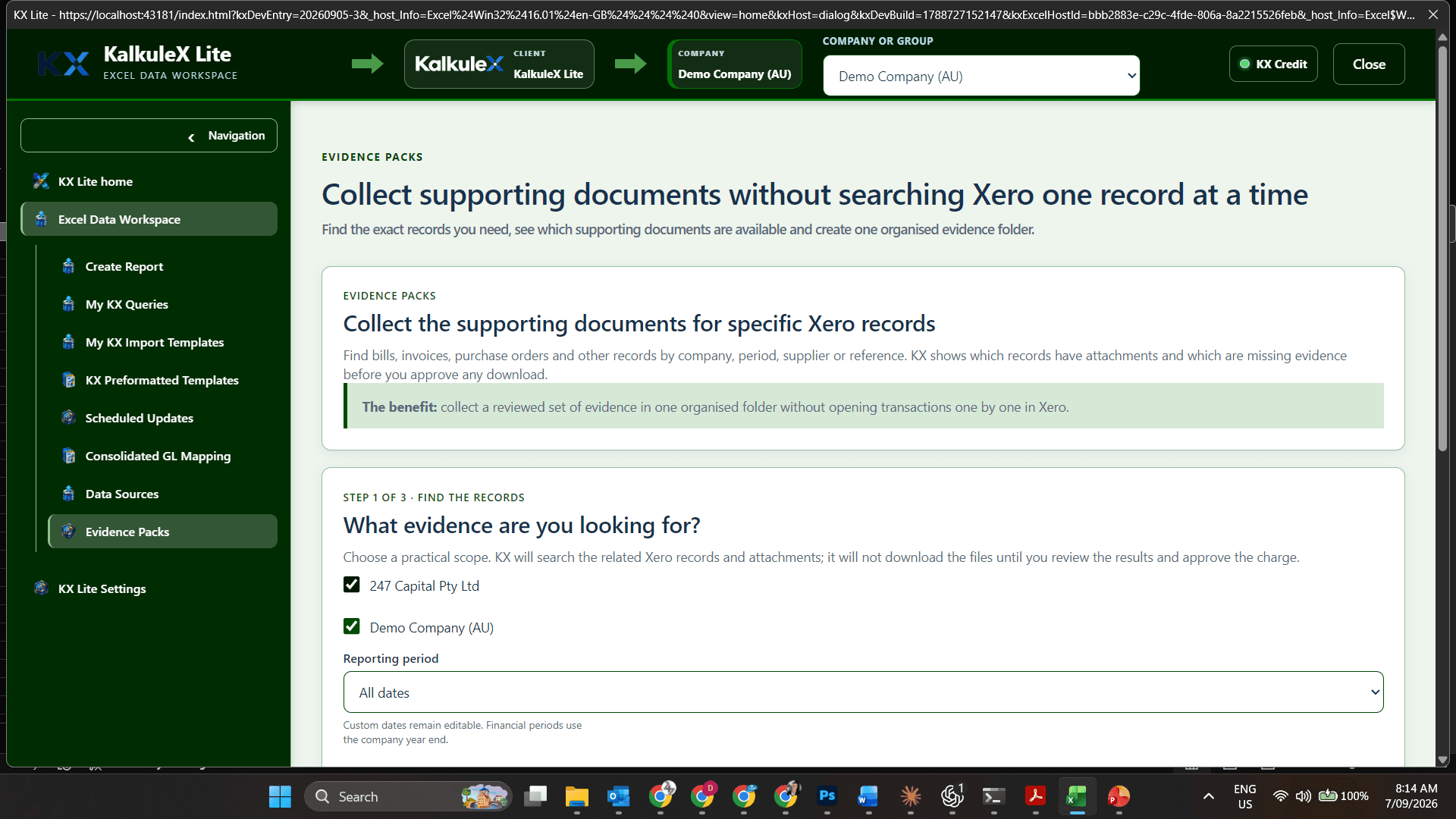
Find supporting records first, then approve the documents you want to collect.
Choose the authorised organisations and source information the finance task requires.
See the intended result, expected processing and KX Credit requirement before work begins.
Return to trusted workbook definitions without reconstructing the same selection.
WHAT KX LITE ADDS
KX Lite removes the repeated work between downloading Xero data and producing a usable workbook. You define the result once, keep its source context visible and return to it when the underlying information changes. Supported relationships between Xero tables are already established, so you do not need to understand schemas, joins or relational databases.
Benefit: less time cleaning exports and a clearer starting point for analysis.
Benefit: recurring reports and working papers become repeatable rather than disposable.
Benefit: multi-company analysis stays traceable instead of becoming a stack of disconnected worksheets.
Benefit: you remain in control of what runs, what it costs and which documents support the result.
Connection scope remains governed by Xero permissions, platform allowances and the approved KalkuleX access tier. KX Lite will not open registrations beyond the certified connection capacity available at that time.
LITE MEANS FOCUSED—NOT RESTRICTED
KX Lite is the standalone choice for a CFO, accountant or finance professional who wants to control their own Xero-to-Excel work. A business can install it for multiple people, with each person operating an independent workspace.
Choose KX Suite when the business needs the KX Lite foundations plus an ERP bridge covering product groups, enhanced sales and purchasing, planning, inventory, production, permissions, approvals and wider operations around Xero.
WHY KX LITE?
KX Lite connects Xero and Excel for a specific finance task. It helps define the report, keep the source company clear, match account structures, show the expected KX Credit price and save the setup for later.