OFFICIAL KALKULEX RELEASE CHANNEL

Put the KalkuleX workspace inside Microsoft Excel.

Choose the add-in for your KalkuleX product. Official release links, supported Excel environments and installation guidance are kept together here.

KalkuleXMicrosoft ExcelMicrosoft Excel
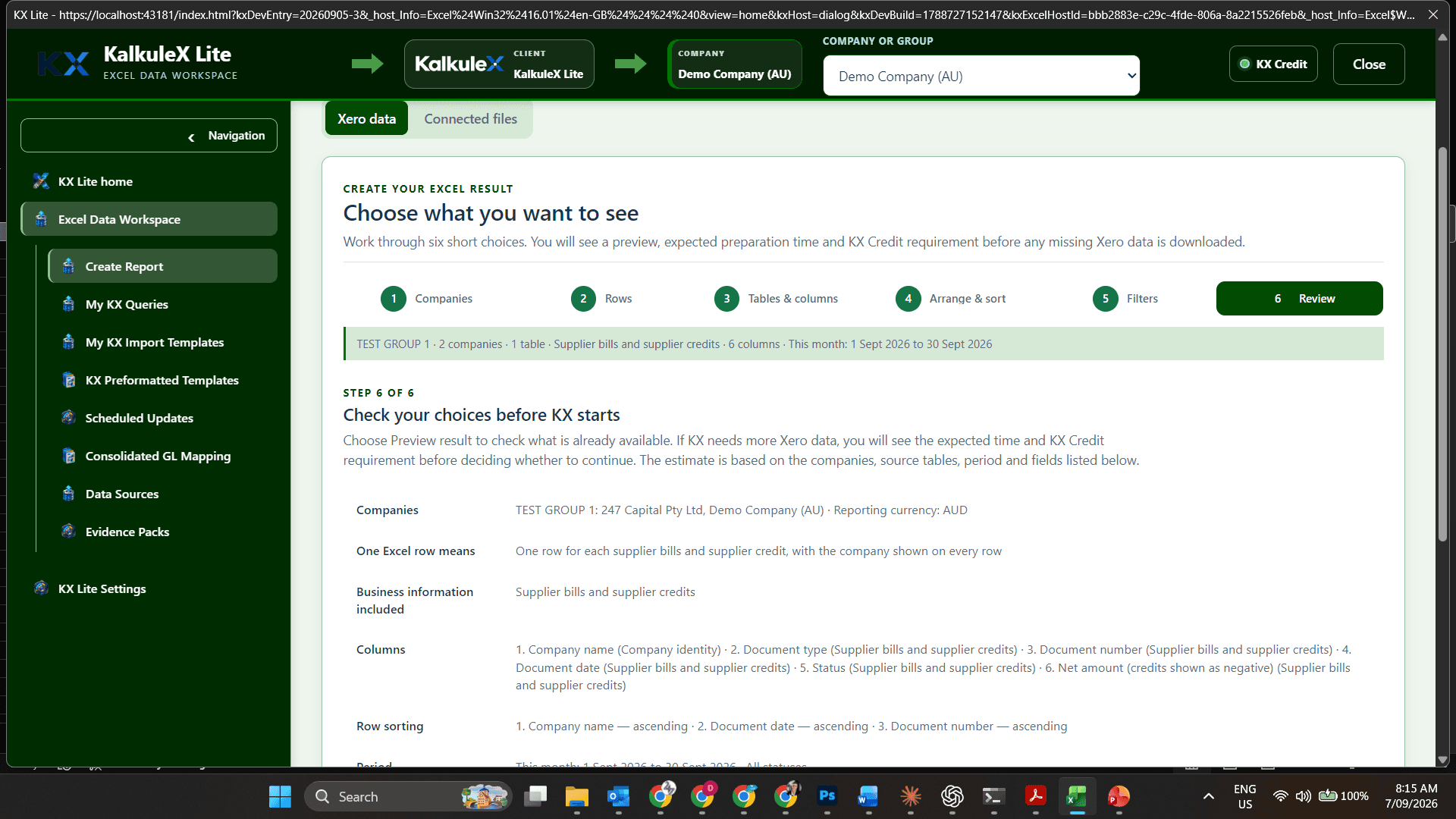
KX Lite report builder displayed inside the Microsoft Excel add-in workspace
CONNECTSHAPEREVIEWUSE IN EXCEL
Finance professionals assessing KalkuleX with their own authorised business information.
25,000TRIAL KX CREDITSADDED AUTOMATICALLY

ASSESS KX LITE WITH ACTUAL BUSINESS INFORMATION

Connect up to two authorised Xero organisations. Trial KX Lite for yourself.

Complete a simple sign-up confirmation and 25,000 trial KX Credits are added to your account automatically. No credit card is required. Use your actual Xero information, shape practical Excel results and assess the KX Lite capabilities relevant to your own standalone Excel workspace. An organisation can repeat this installation for multiple users, but the workspaces are not centrally networked or administered. The two-organisation limit applies only to the free trial; outside the trial, the KX product range does not impose a limit on authorised Xero organisation connections.

Your existing Xero access remains in control. KalkuleX does not broaden a user's Xero permissions during the trial.

Start your KX Lite trial

CHOOSE YOUR PRODUCT

One trusted page for every KalkuleX Excel add-in.

Only verified public release links will be published here. A product still in preparation is clearly identified and cannot be mistaken for a finished download.

01
INITIAL RELEASEKalkuleX

KX Lite

A standalone Excel-native Xero workspace. Organisations can install it for multiple users, with each installation operating independently rather than through central network control.

  • Excel for Windows
  • Excel for Mac
  • Excel for the web
PUBLIC DOWNLOAD LINK IN PREPARATIONOpen installation guide
02
IN DEVELOPMENTKalkuleX

KX Suite

The Excel companion for the shared KX Suite operating environment, including company-aware access and governed organisational workflows.

  • Excel companion
  • Networked workspace
  • Central administration
DOWNLOAD COMING WITH PRODUCT RELEASEPreview KX Suite
03
IN DEVELOPMENTKalkuleX

KX Practice

The Excel companion for accounting and bookkeeping practices working across controlled client-company environments.

  • Excel companion
  • Practice workspace
  • Client-company context
DOWNLOAD COMING WITH PRODUCT RELEASEPreview KX Practice

INSTALLATION PATH

The right release. The right user. The right Excel environment.

  1. 01
    Choose the product

    Start with KX Lite or review the forthcoming KX Suite and KX Practice companions.

  2. 02
    Use the official release link

    Install only from the verified Microsoft AppSource or KalkuleX release destination published on this page.

  3. 03
    Sign in as yourself

    The add-in uses the KalkuleX identity flow. Xero authorisation remains a separate, permission-controlled connection.

  4. 04
    Connect authorised companies

    KalkuleX does not broaden the signed-in person’s Xero permissions.

Download KalkuleX Excel Add-ins | KalkuleX