
Independent workspace. Multiple people may each use KX Lite, but their workspaces are not a shared company network.

PRODUCT AND MODULE CAPABILITY
Two products. One expanding finance capability system.
KX Lite provides focused, reusable Xero-to-Excel finance work. KX Suite includes those foundations and adds an ERP bridge for finance and operations beyond standard Xero.
CHOOSE BY OPERATING NEED
The difference is the business problem each product is designed to solve.
KX Lite removes repeated Xero-to-Excel preparation. KX Suite addresses the wider gap between standard Xero and the cost and disruption of a full ledger replacement.
01
FREE BETA
KX Lite
Standalone Xero-to-Excel finance workspaceFor business owners, finance teams, accountants and bookkeepers who want to turn Xero data into practical Excel work without rebuilding the same export whenever the information changes.
Explore the complete KX Lite product page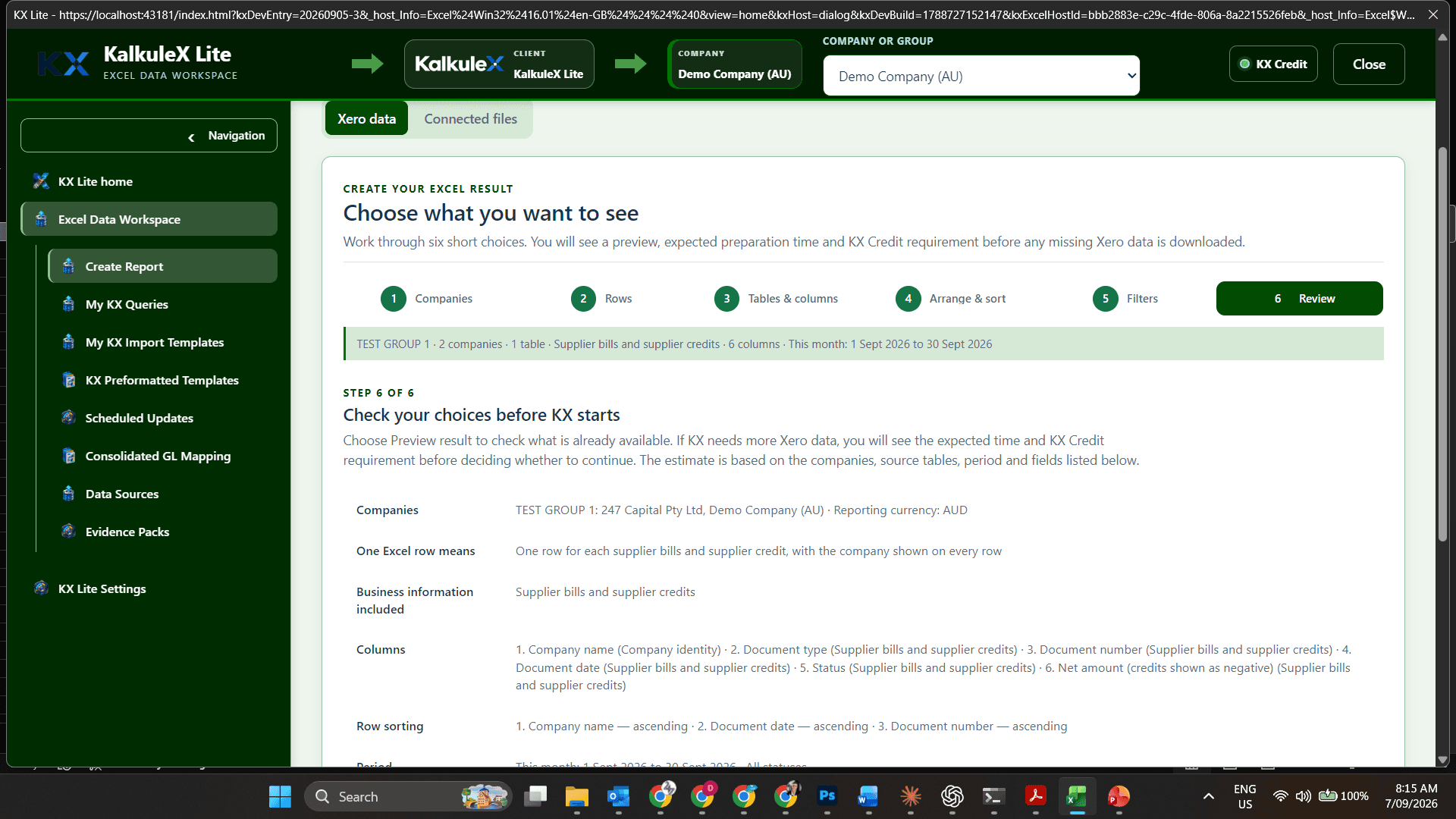
Excel Data Workspace
Define the exact Excel result before processing begins.
- Companies, dates, rows and fields
- Established relationships across supported Xero records
- Filters, sorting and table structure
- Saved KX Queries and reusable templates
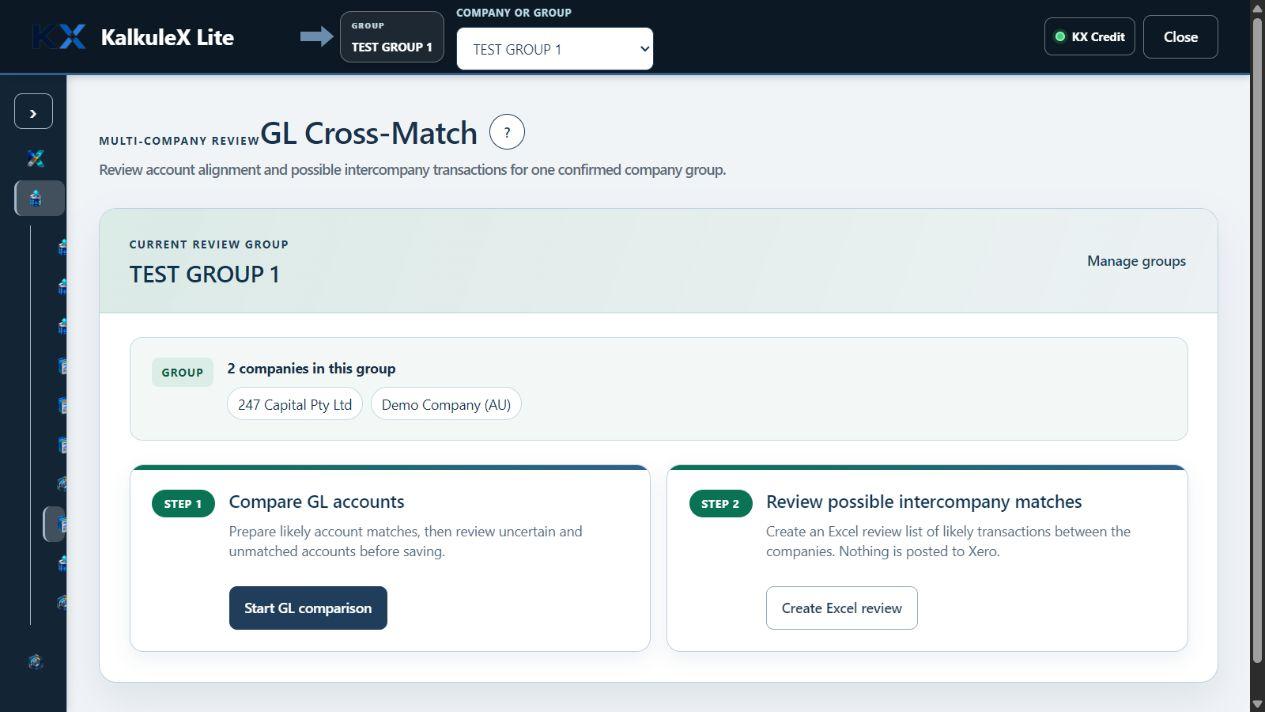
Multi-company finance
Work across authorised Xero organisations without losing company identity.
- Company groups and combined results
- Chart of Accounts alignment
- GL Cross-Match and possible intercompany matches
Reporting and analysis
Turn source records into finance work that remains useful in Excel.
- Management and performance analysis
- Repeatable workbook refresh paths
- Source freshness and company context
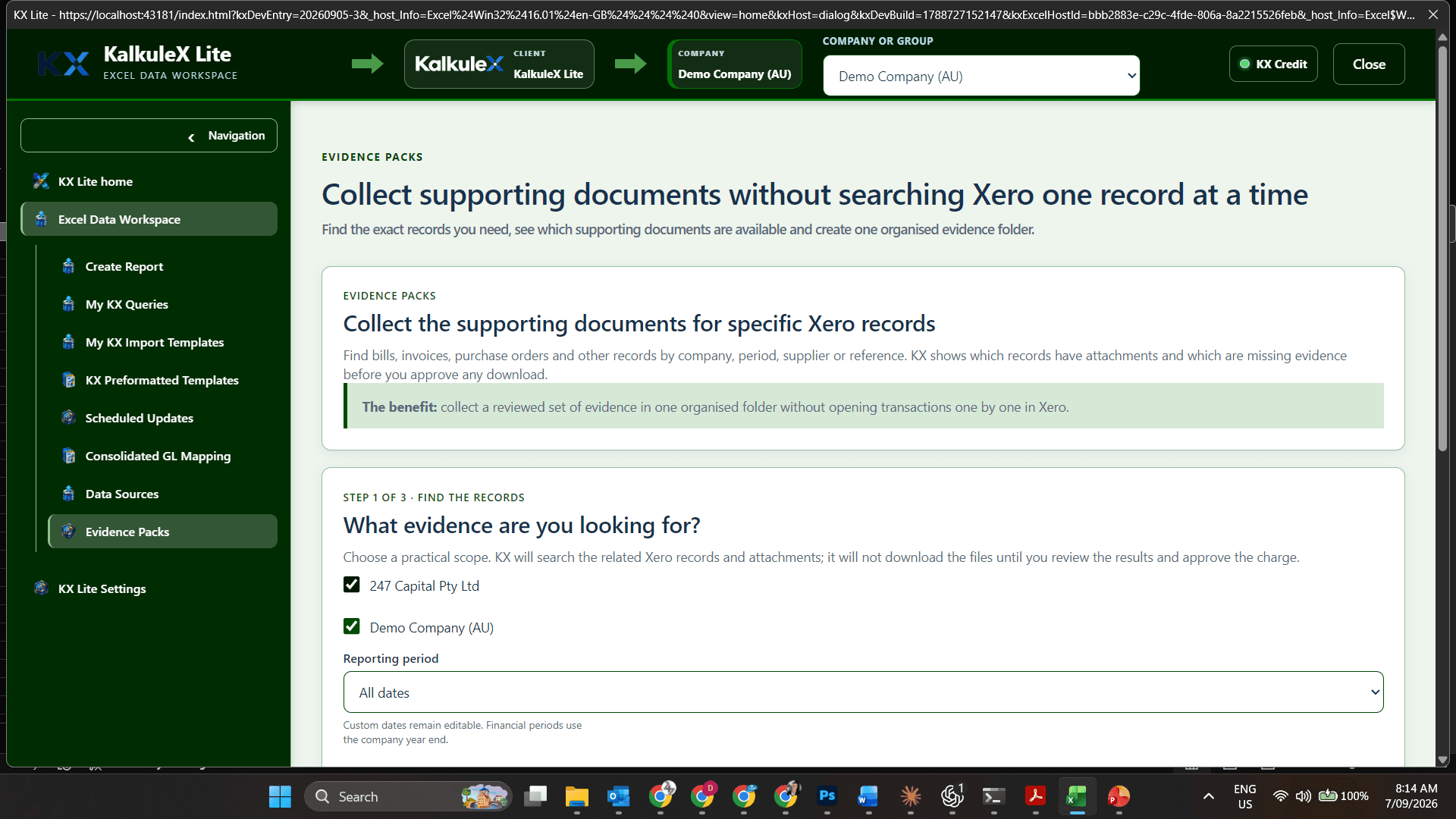
Evidence and review
Retain the information needed to understand and support the result.
- Evidence packs and supporting records
- Visible source and query definition
- Review history and retained decisions
Guided assistance
Describe the result in business language without learning Xero table schemas or database queries.
- Natural-language guidance for the result you need
- Relationship-aware suggestions across supported Xero records
- Human confirmation of every source choice
- KX Ai isolated from Xero credentials and ledgers
Work and KX Credit control
Keep the decision to proceed with the user.
- Scope and estimate before material work
- Optional user-set pre-approval limit
- Connection scope governed by Xero permissions and the approved access tier
02
ERP BRIDGE · FINANCE AND OPERATIONS
KX Suite
ERP capability around Xero without replacing the ledgerFor growing SMEs that need integrated finance and operational capability beyond standard Xero, without the cost and disruption of moving to a larger ERP ledger.
Explore the complete KX Suite product page
A broad module system—not another reporting add-on.
KX Suite includes the KX Lite Excel and reporting foundations, then extends them into the wider work of running a business. It bridges the gap between standard Xero and a costly full ERP replacement.
Finance and reporting
Governed financial, management and executive reporting.
- Statements, comparisons and management packs
- Reusable report blueprints and schedules
- Professional Excel, print and PDF outputs
Groups and consolidation
Bring multiple companies together without hiding their source context.
- Company groups and shared structures
- Currency rules and mapped accounts
- Balanced eliminations and traceable consolidation
GL Cross-Match and control
Align different Charts of Accounts through controlled finance review.
- Account matching and mapping decisions
- Uncertain and unmatched accounts kept visible
- Proposed GL restructuring with human approval
Audit and change intelligence
Understand what changed, who acted and what evidence supports the result.
- Xero and KX activity correlation
- Change, attribution and exception review
- Evidence retained with the relevant work
Close, exceptions and workflow
Coordinate recurring finance work and make unfinished matters visible every day.
- Close checklists, owners and reviewers
- Exceptions, dependencies and escalation
- Completion evidence and status history
Enhanced sales and receivables
Extend Xero invoicing with richer control, customer visibility and collection work.
- Enhanced invoices, credits, ageing and statements
- Disputes, promises and collection activity
- Customer-level actions and accountability
Purchasing and payables
Control purchasing commitments and supplier obligations.
- Requisitions, purchase orders and supplier bills
- Authority limits and approval workflows
- Commitment, supplier and payable analysis
Product groups and inventory
Add richer product structures and the operational detail behind stock movement and availability.
- Product groups, subgroups, items, units and supplier links
- Warehouses, locations and replenishment
- Stocktakes, adjustments and registers
Production
Connect materials, work and cost through the production lifecycle.
- Kits, bills of materials and work orders
- Production runs and material movements
- Work in progress, costing and variance
Planning and cost centres
Turn business assumptions into controlled financial and operational plans.
- Budgets, forecasts, cash flow and scenarios
- Versions and actual-versus-plan review
- Cost centres, tracking and allocation structures
Human Resources and workforce
Bring workforce cost, capacity and responsibility into finance planning.
- Payroll and employment-cost analysis
- Rostering, labour allocation and capacity
- Employee context linked to authorised workflows
Liabilities and obligations
Model material obligations without claiming statutory certification.
- Leave-liability assumptions and modelling
- Loan, interest and finance schedules
- Tax, payroll and other obligation planning
Tasks, calendar and allocations
Make recurring finance and operational work assignable and reviewable.
- Owners, reviewers and dependencies
- Recurring work, reminders and due dates
- Allocation, completion and evidence history
Logistics
Coordinate approved operational movement and delivery activity.
- Dispatch and manifest preparation
- Controlled handoffs and status tracking
- Links to relevant orders and records
Ownership and dividends
Keep ownership movements and approved distributions organised.
- Share classes, holdings and movements
- Dividend allocations and approvals
- Payment schedules and accounting preparation
Controlled Xero actions
Keep every Xero write narrow, explicit and recoverable.
- Prepare, validate, review and approve
- Confirm, execute and read back
- Reconcile outcomes and retain the audit trail
Security and administration
Govern companies, people, authority and system configuration.
- Employee access and permission decisions
- Approval authority and company administration
- Audit, recovery and provider health
Automation, delivery and governance
Run controlled background work without losing accountability.
- Jobs, cancellation and delivery outcomes
- Notifications, exports and recovery
- Data lifecycle, source governance and security
ACROSS THE PRODUCT RANGE
Capability expands. The control principles remain.
XERO AUTHORITY
The signed-in user never receives more access than Xero allows.
EXCEL-NATIVE WORK
Finance users continue working in a familiar Microsoft Excel environment.
VISIBLE SCOPE
The selected companies, records, period and intended result remain clear.
KX CREDIT CONTROL
Estimated KX Credits are shown before material paid processing.
HUMAN APPROVAL
People remain responsible for review, approval and business decisions.
KX Ai BOUNDARY
KX Ai never receives Xero credentials, calls Xero or creates write-eligible data.
PRODUCT DECISION GUIDE
Which KalkuleX product fits the operating model?
| COMPAREOperating fit | 01 · INDIVIDUALKX LiteFREE BETA | 02 · BUSINESSKX SuiteERP BRIDGE |
|---|---|---|
| 01Designed for | Individual finance professionals | One connected organisation |
| 02Core purpose | Reusable Xero-to-Excel work | Business-wide finance and operations |
| 03Workspace model | Independent installations | Central users, companies and permissions |
| 04Capability depth | Data, analysis, reports, account matching and supporting documents | Full module environment from finance through operations |
| 05Choose it when | You need reusable Xero-to-Excel finance work | You need broader ERP capability around Xero |
START WITH THE AVAILABLE PRODUCT
Test KX Lite using your own Xero data.
Apply for the free beta, test one real finance workflow and help shape the product before wider release.