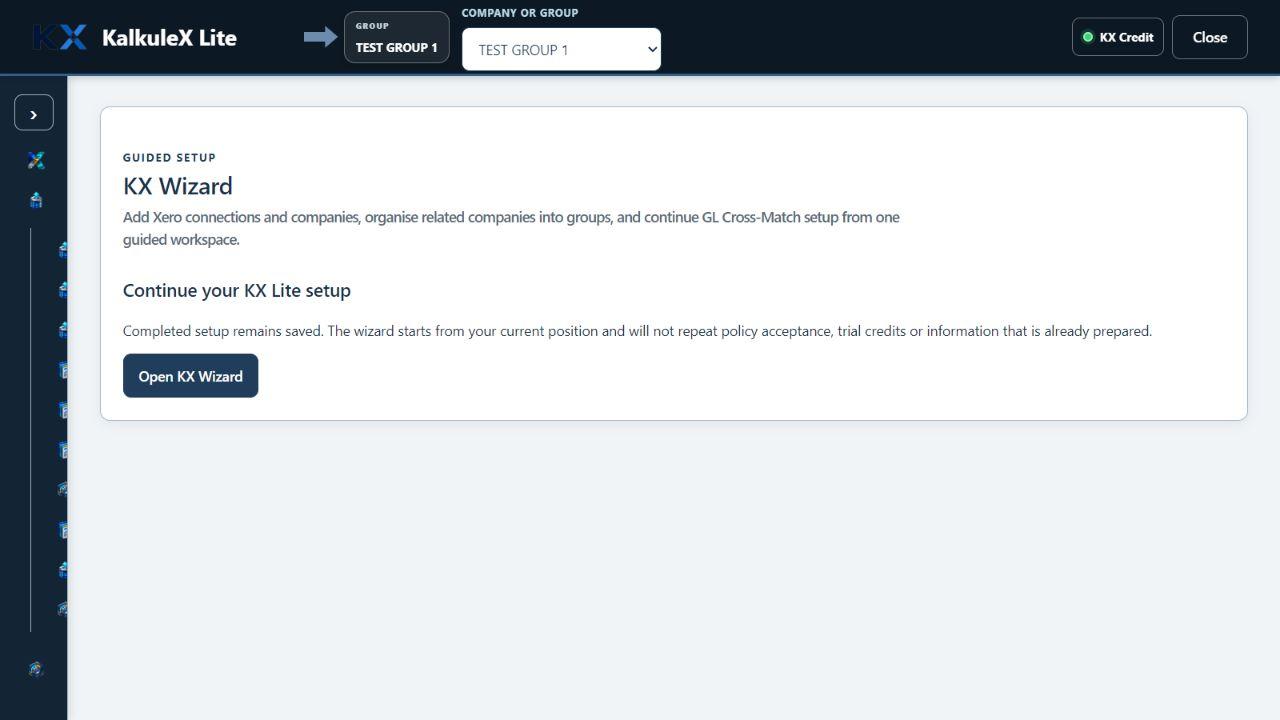
STEP 01 OF 04
Connect the right company
Sign in through Xero, choose from the companies available to you and complete the guided setup. The active company stays visible.
↓

HOW KALKULEX WORKS
KX Lite brings the Xero data you are allowed to use into Microsoft Excel. You choose what the report should contain, see the estimated KX Credits before anything runs, review the output and keep the supporting record. KX already understands supported relationships between Xero records, so the user does not need to write joins or learn a relational database. KX Suite carries that foundation into wider ERP capability.
 AUTHORISED SOURCEPREPARE · REVIEW · RETAIN
 REUSABLE WORKSPACE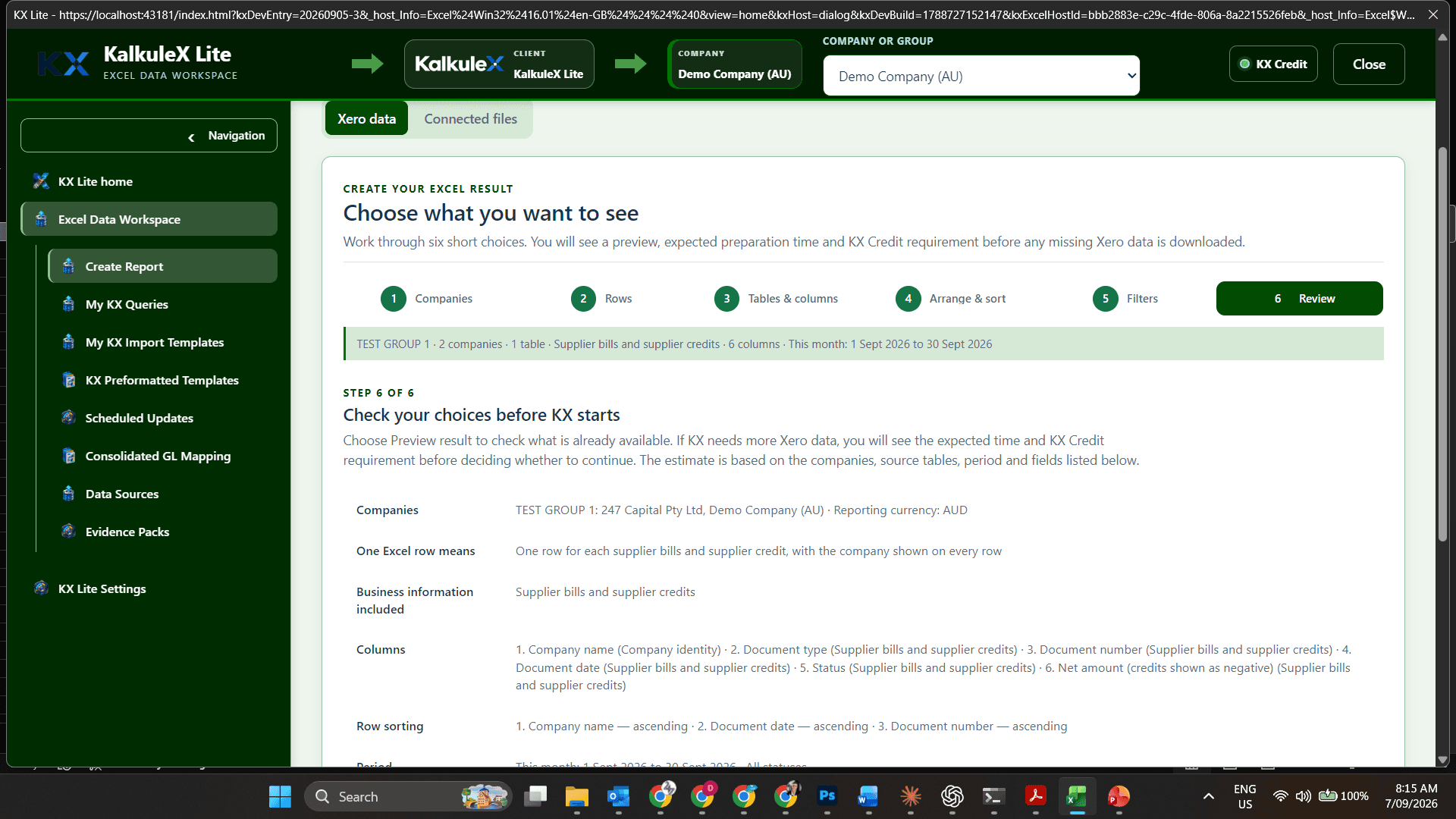
THE GUIDED JOURNEY
The company, permissions, selections and result remain visible throughout. These are real KX Lite screens, not illustrations.
Sign in through Xero, choose from the companies available to you and complete the guided setup. The active company stays visible.
↓Choose the companies, dates, transactions, columns, filters and order. KX Lite shows the proposed result and KX Credit price before any credits are used.
↓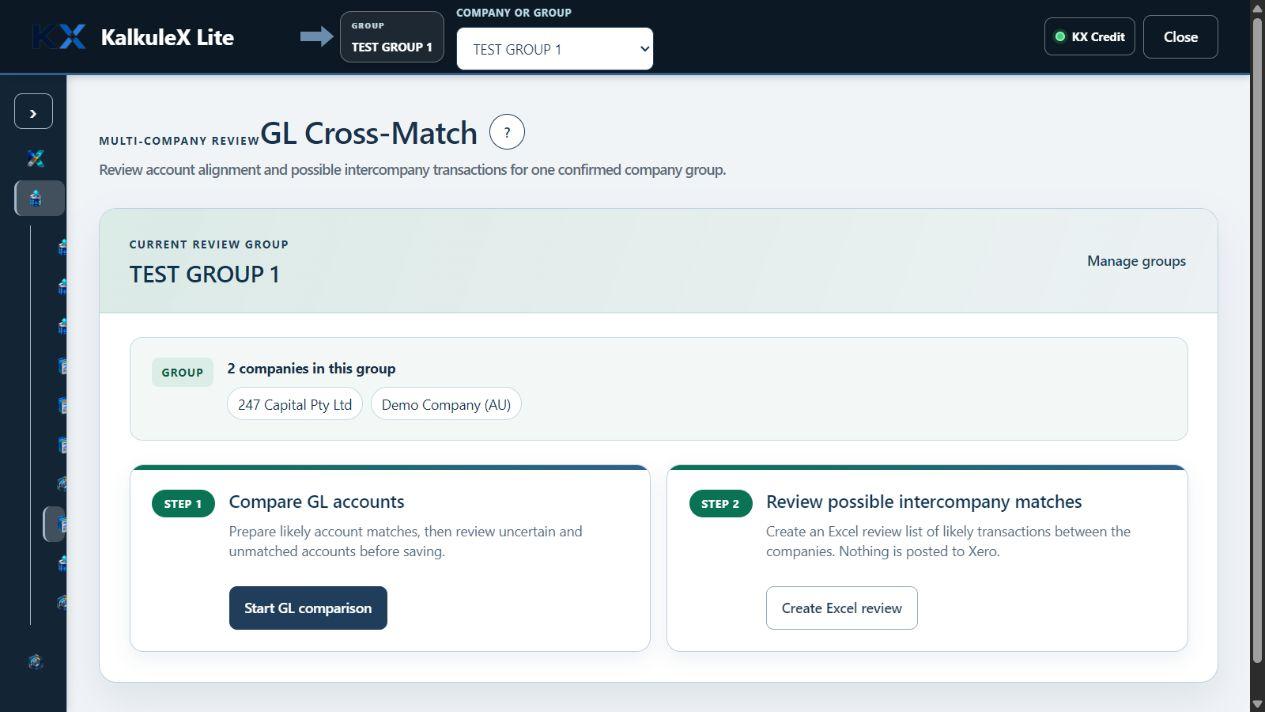
Review company context, freshness, assumptions and exceptions. For multi-company work, align and group different Charts of Accounts and prepare possible intercompany elimination matches for human review.
↓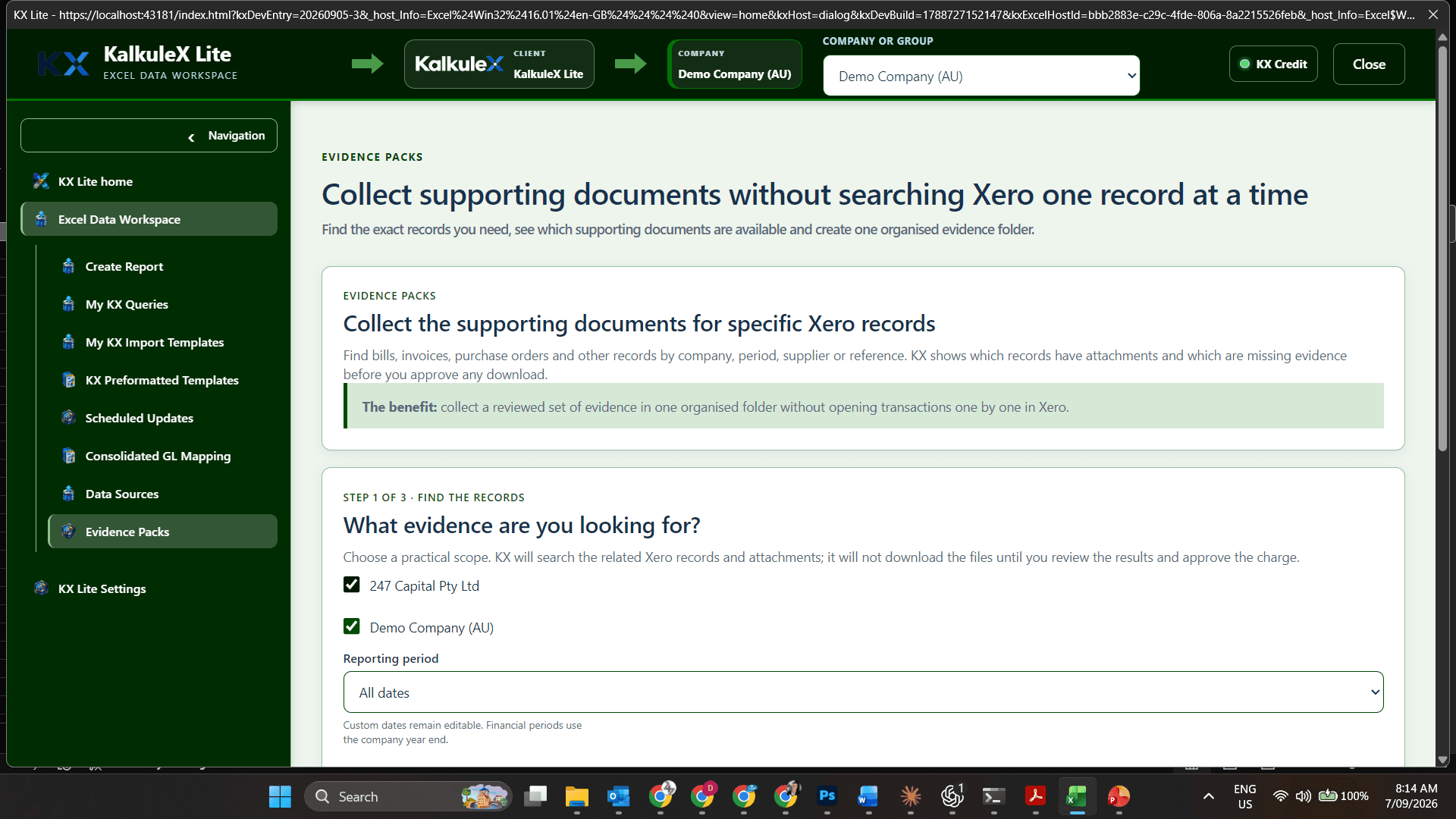
Use the result in Excel, keep the supporting documents and return to the saved report without rebuilding it. Refresh when you need current Xero data.
✓
EVIDENCE THAT STAYS CONNECTED
The company, source, selected dates and columns, approval, version and result stay connected so the work still makes sense when someone reviews it later.
YOUR BOOKS STAY IN XERO
KX Lite gives you a guided, traceable workspace around the work you choose to complete in Microsoft Excel.