A current answer from one Xero organisation.
- Ask a question using an available Microsoft 365 experience
- Bring current Xero information into a document or spreadsheet
- Continue the analysis yourself

WHAT COMES AFTER THE IMPORT
Importing data gives you access. The value comes from what happens next: turning it into reports, analysis and repeatable finance work. KX Lite removes much of the repeated preparation. Describe the result you need in business language, review the suggested source, then choose the companies, dates and columns. KX already understands supported relationships between Xero records, so you do not need to write joins or understand relational databases. Save the work and refresh it whenever the information changes. See everything KX Lite can do.

 Microsoft Excel
Access is the beginning. Useful, repeatable work is the outcome.
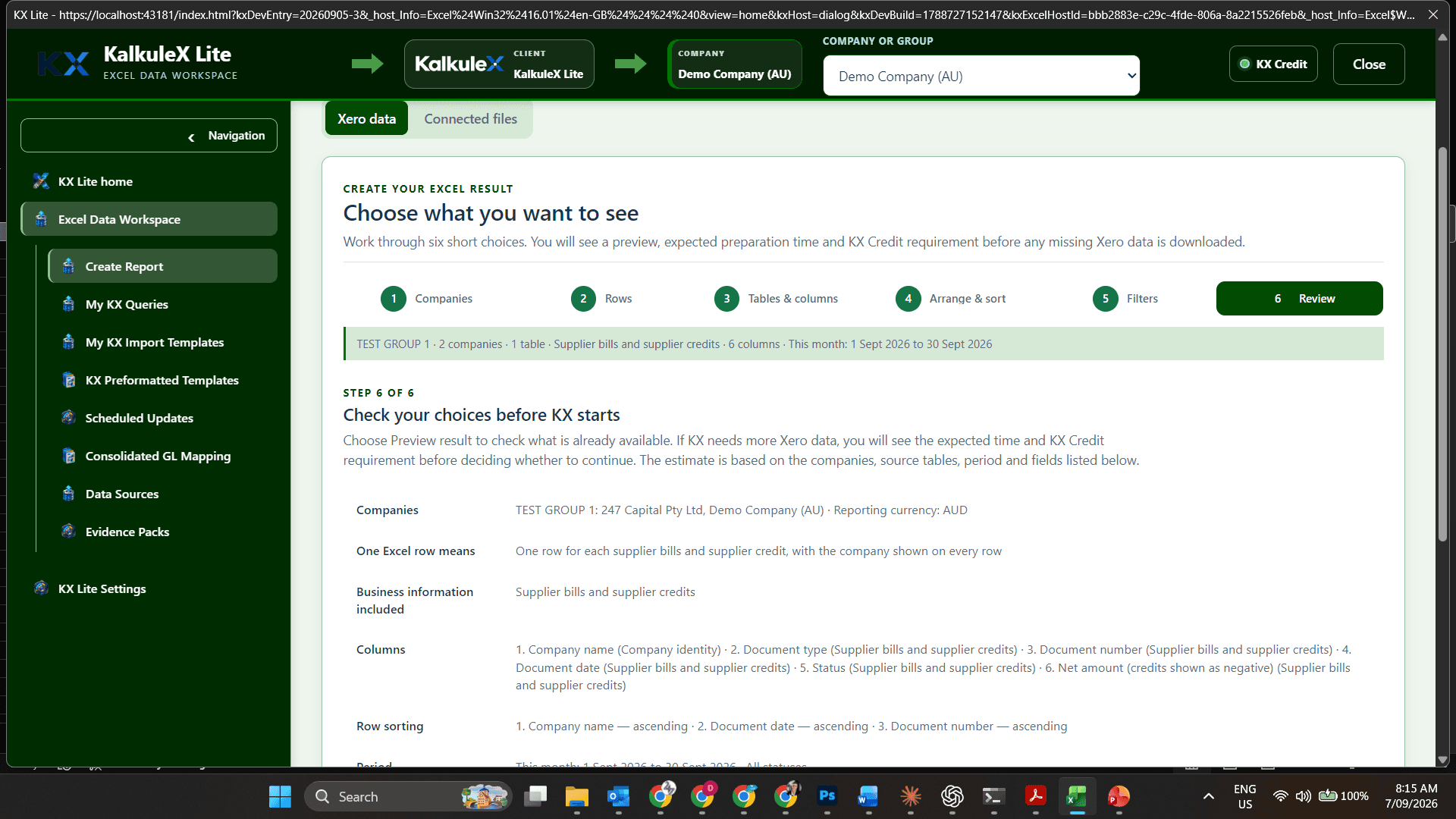
Your Xero data in Excel
Set up once, refresh any time
No database queries
No monthly fee
BUILT BETWEEN XERO AND MICROSOFT EXCEL
KalkuleX brings your Xero data into Microsoft Excel for reporting, analysis and review. Your books stay in Xero; KalkuleX does not replace them. See the available capabilities.
 YOUR BOOKS STAY IN XEROThe data you are allowed to access
 KX LiteKX SuiteMicrosoft Excel
ALREADY USING XERO IN MICROSOFT 365?
Microsoft 365 can help you access current Xero information. KX Lite is built for reports and finance tasks that must be set up, checked and refreshed whenever the work requires them.
WHY KX LITE EXISTS

The result may survive, but the thinking and source choices behind it are easily lost.
Keep the workbook, its Xero source and the finance team’s working process together.
Microsoft Excel
DIGITAL RECORD READINESS
Lenders and government bodies increasingly assess digital financial records, not only reports prepared later. Clear, consistent Xero records are therefore more important than ever.
Review the transactions, balances and source company behind a financial result—not only the final total.
Bring unusual balances, missing information and account-matching questions into one finance review.
Review company results together and keep intercompany activity visible so it can be investigated rather than lost in unexplained totals.
SEE THE REAL KX LITE WORKFLOW
Connect Xero, choose the companies and information, review the KX Credit estimate, create the Excel result and refresh it later. Click through each real product screen to see exactly how the work progresses.
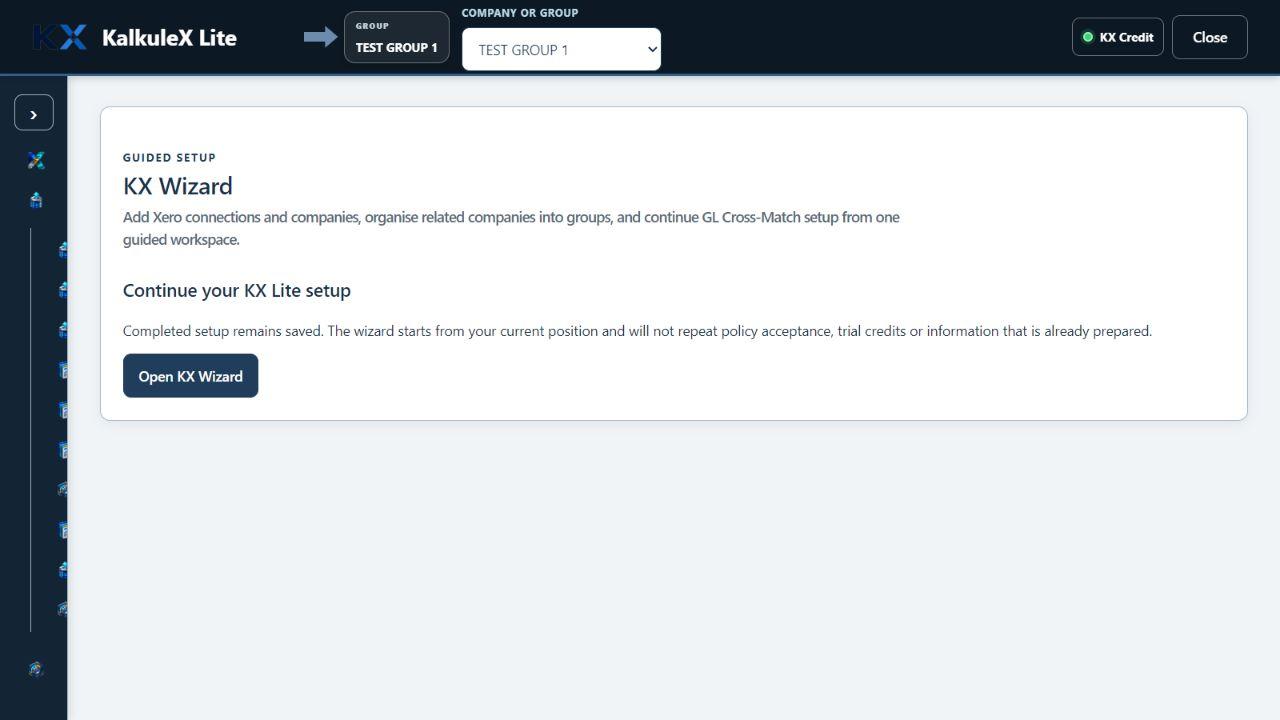
Guided onboarding
THE KALKULEX PRODUCT RANGE
KX Lite turns related Xero records into reusable Excel finance work without requiring database knowledge. KX Suite includes that foundation and adds the finance and operational modules growing SMEs otherwise seek from a larger ERP replacement.

Reusable Xero-to-Excel analysis, reporting and evidence for independent users.
An organisation can install KX Lite for many people, but each workspace operates independently without central network administration.Explore KX LiteA streamlined ERP-capability bridge for businesses outgrowing standard Xero.
Includes the KX Lite foundations, then adds product groups, enhanced sales and purchasing, reporting, planning, inventory, production, approvals and wider operations.Explore KX SuiteMORE THAN ONE XERO COMPANY
Build a reusable company group, select the Xero companies that belong together and carry company identity into every Excel row. KX Lite keeps the source companies visible instead of blending them into an unexplained total.
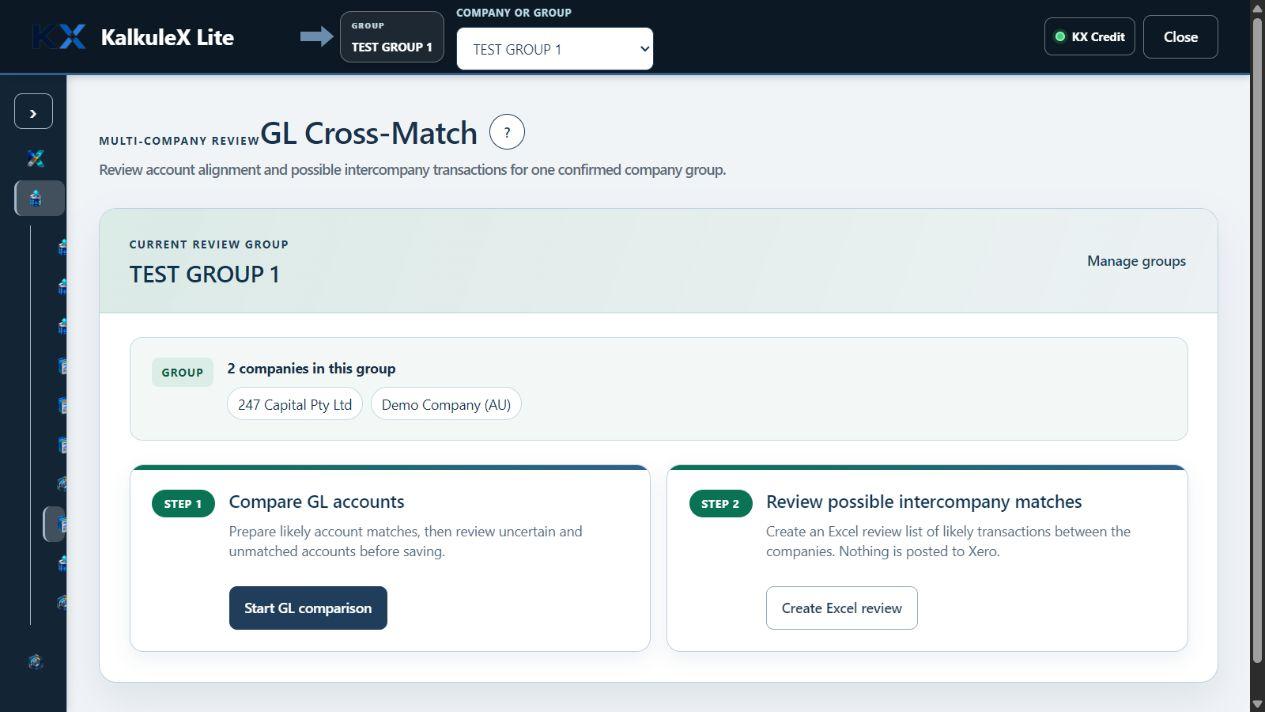
Compare account structures, review likely matches and keep uncertain or unmatched accounts visible before saving a common mapping.
Create an Excel review list of possible intercompany transactions. Nothing is posted to Xero and nothing becomes an elimination without human review.
PURPOSE-LIMITED KX Ai
KX Ai can analyse only the worksheet information deliberately provided to it, explain patterns and prepare draft commentary. It cannot reach through KalkuleX into Xero. Review the permanent KX Ai security boundary.

Work with approved worksheet information, identify patterns and prepare commentary for review.
KX Ai receives no Xero credentials and has no Xero network or write pathway, even after human review.
People choose the information, judge every suggestion and make every business decision.
WHAT YOU GET

Pick the companies, dates, transactions and columns that belong in Excel.
Keep the same choices around the formulas, PivotTables and models you already use.
Check the selected companies, dates and expected KX Credits before any credits are used.
Each row shows its source company, and important choices remain available for later review.
VALUE-ALIGNED SOFTWARE™ · VAS™
Value-Aligned Software™ (VAS™) aligns KX Credits with work you choose. KalkuleX shows the intended result and estimated KX Credits before material processing begins. You can approve each item individually or set your own pre-approved limit for routine work; anything above that limit returns to you for a decision.

Seats and recurring fees continue with time and headcount, even when no useful work is being performed.
→→ Microsoft ExcelApprove each estimate yourself or let routine work proceed within the KX Credit limit you have chosen.
KX Lite gives each finance user a focused Excel workspace with supported Xero relationships already established. KX Suite adds business-wide modules, permissions, approvals and operational workflows around the same Xero ledger.
Keep approval on every item, or establish a pre-approved KX Credit limit once you are comfortable. Work above your limit always returns to you for approval.
KX Credits support the processing required without turning inactive seats into the headline measure of value.